Generate text responses about images using Qwen3-VL-4B.

Parameters

image_input
str | PIL.Image | np.ndarray
required
RGB image.
prompt
str
required
Text prompt/question about the image.
max_new_tokens
int
Maximum number of tokens to generate.
temperature
float
Sampling temperature (0 = greedy).
timeout
float | None
Optional HTTP timeout.

Returns

dict with keys:
  • output — Generated text response
  • latency_ms — Server-side processing time
  • gpu_stats — GPU memory usage statistics

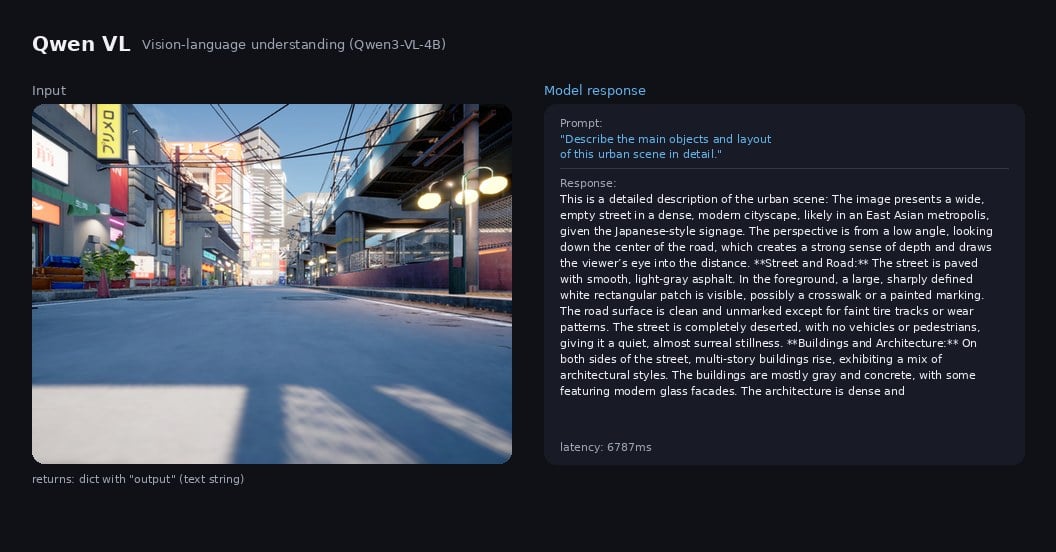
Example Output

Qwen VL input image and text response

Example

from grid_cortex_client import CortexClient
import numpy as np
from PIL import Image

client = CortexClient()
image = np.array(Image.open("scene.jpg"))  # 640x480 RGB
result = client.run(
    model_id="qwen_vl",
    image_input=image,
    prompt="What objects can you see in this scene? List them.",
    max_new_tokens=128,
    temperature=0.3,
)

print(result.keys())
# dict_keys(['output', 'latency_ms', 'gpu_stats'])

print(result["output"])
# "Based on the image provided, here is a list of objects that can be
#  seen in the scene:\n\n- **Street**: A wide, empty asphalt road...
#  \n- **Sidewalks**: Concrete sidewalks on both sides...
#  \n- **Buildings**: Multi-story buildings...
#  \n- **Signage**: Various signs on buildings..."

print(f"latency: {result['latency_ms']:.1f} ms")
# latency: 4323.4 ms