> ## Documentation Index
> Fetch the complete documentation index at: https://docs.generalrobotics.dev/llms.txt
> Use this file to discover all available pages before exploring further.

# The Intelligence Grid for Physical AI

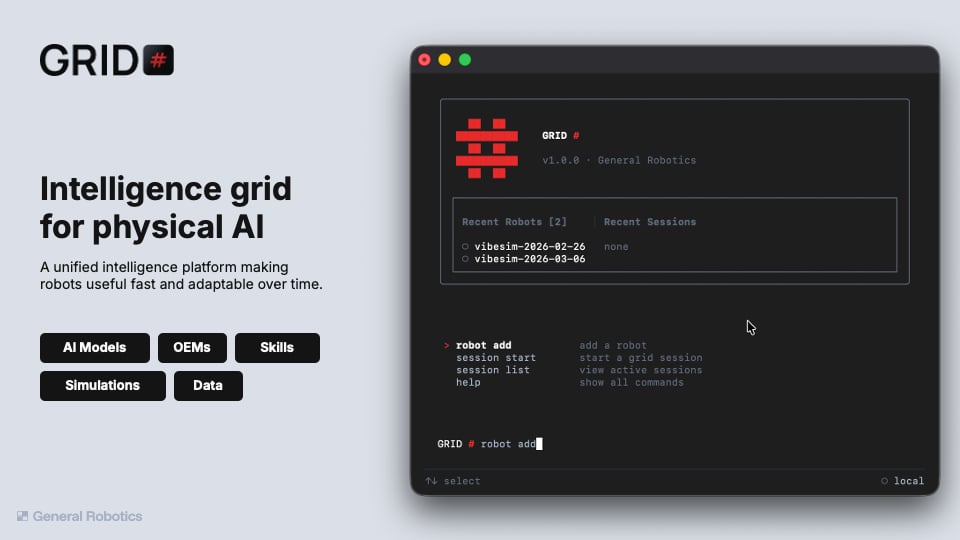
> GRID makes robots useful now — and adaptable over time. Onboard a robot, develop against it live, call state-of-the-art AI on its sensors, and deploy skills, all from one CLI.

<div style={{display: "flex", flexWrap: "wrap", gap: "1.25rem", alignItems: "center"}}>
  <div style={{flex: "1 1 400px", minWidth: "320px"}}>
    <Frame>
      <img src="https://mintcdn.com/scaledfoundations/9EloC7amgddHN_e1/assets/images/grid-cli-hero.png?fit=max&auto=format&n=9EloC7amgddHN_e1&q=85&s=5e32d5ac45815cfcf65208fb52e4a0a5" alt="The GRID CLI connected to a robot fleet" width="960" height="540" data-path="assets/images/grid-cli-hero.png" />
    </Frame>
  </div>

  <div style={{flex: "1 1 360px", minWidth: "300px"}}>
    <CardGroup cols={1}>
      <Card title="Install GRID" horizontal icon="download" href="/v1.0/get-started/installation" arrow="true">
        One command to the whole platform — from zero to a running session in
        ten minutes.
      </Card>

      <Card title="Build and deploy your first skill" horizontal icon="pen-to-square" href="/v1.0/get-started/first-skill" arrow="true">
        Write a program against your live robot in a generated notebook, then
        deploy it from the CLI.
      </Card>

      <Card title="Try a simulator session — no robot required" horizontal icon="cube" href="/v1.0/get-started/first-session" arrow="true">
        Spin up a GPU-backed Isaac Sim scene in the cloud and drive a robot
        from a notebook, before any hardware is involved.
      </Card>
    </CardGroup>
  </div>
</div>

<Note>
  GRID runs on macOS and Linux (Windows via WSL for now). You'll need access to
  your organization's GRID cluster to open sessions. A physical robot is only
  needed for the real-robot paths — the simulator path needs none.
</Note>

## What you can do with the GRID CLI

Everything below runs from the one [GRID CLI](/v1.0/cli/reference):

<CardGroup cols={2}>
  <Card title="Connect your robots" icon="plug" href="/v1.0/cli/reference" arrow="true">
    Onboard robots to your organization's cluster with `robot add` — once
    connected, every teammate can open a session against them.
  </Card>

  <Card title="Build and test in simulation" icon="cube" href="/v1.0/get-started/first-session" arrow="true">
    Start cloud simulator sessions on NVIDIA Isaac Sim from the CLI — a
    GPU-backed 3D scene with your robot, open in the browser in minutes.
  </Card>

  <Card title="Build and test with a real robot" icon="code" href="/v1.0/get-started/first-skill" arrow="true">
    Develop in a VS Code workspace wired to the live robot: state, motion,
    cameras, and cloud AI calls from a notebook, no environment setup.
  </Card>

  <Card title="Deploy to a real robot" icon="rocket-launch" href="/v1.0/get-started/first-skill#4-deploy-it" arrow="true">
    Ship the skill to the physical robot from the same CLI — it provisions
    the environment, prompts for arguments, and streams logs live.
  </Card>
</CardGroup>

## Call AI models on your robot's data

GRID Cortex hosts detection, depth, segmentation, grasping, VLMs, and VLA
policies behind one Python call — no GPUs to manage:

```python theme={null}
from grid_cortex_client import CortexClient, ModelType

client = CortexClient()
detections = client.run(ModelType.OWLV2, image_input=frame, prompt="pallet.")
```

`CortexClient()` reads your `GRID_CORTEX_API_KEY` from the environment —
inside GRID session workspaces it's already configured. Browse the full
hosted catalog under [Models](/v1.0/models/overview), or the client reference
under [API Reference](/v1.0/python-api/grid-cortex-client/overview).

## Stay in the loop

<CardGroup cols={2}>
  <Card title="Community" icon="discord" href="https://discord.gg/yPtfUNDe5M">
    Questions, bugs, or robots doing something great? Join the Discord.
  </Card>

  <Card title="Blog" icon="newspaper" href="https://www.generalrobotics.company/research#blogs">
    Research and product updates from General Robotics.
  </Card>
</CardGroup>


## Related topics

- [The Intelligence Grid for Physical AI](/introduction.md)
- [GRID Cortex Client](/models/cortex.md)
- [Your first skill](/get-started/first-skill.md)
- [Get started](/get-started/installation.md)
- [Your first session](/get-started/first-session.md)
