> ## Documentation Index
> Fetch the complete documentation index at: https://docs.generalrobotics.dev/llms.txt
> Use this file to discover all available pages before exploring further.
# Drone Path Planning
This tutorial demonstrates how to implement autonomous path planning for drones in the AirGen simulation environment. You'll learn how to make a drone take off, calculate a collision-free path to a randomly selected destination, and follow that path safely.
Notebook for this example can be found: [Here](https://grid.generalrobotics.dev/shared/1991e203-afbc-45ca-8f8d-2a4749732de0)
## Introduction
Path planning is an essential component of autonomous drone systems. It allows drones to navigate complex environments while avoiding obstacles. In this tutorial, we'll use AirGen's built-in path planning capabilities to generate safe trajectories for our drone.
## Setting Up the Drone
First, let's import and initialize our drone in the AirGen environment:
```python theme={null}
from grid.robot.aerial.airgen_drone import AirGenDrone
airgen_drone_0 = AirGenDrone()
```
The `AirGenDrone` class provides a simplified interface to control aerial vehicles in the simulation.
## Taking Off
Before we can plan a path, we need to get our drone airborne:
```python theme={null}
# Take off
airgen_drone_0.client.takeoffAsync().join()
```
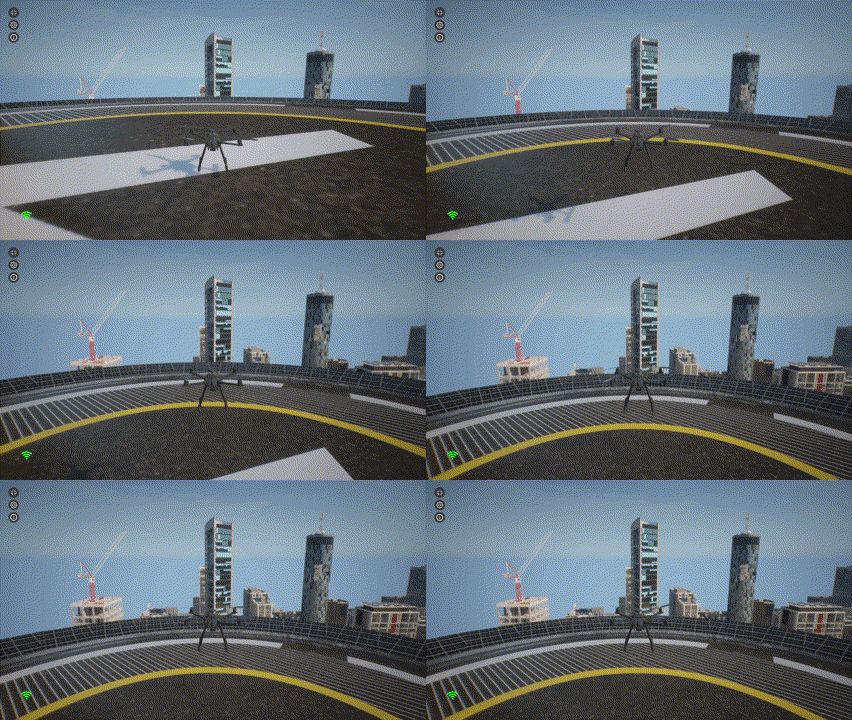
The `takeoffAsync()` method initiates the takeoff sequence, and the `.join()` call ensures that our code waits until the takeoff is complete before proceeding.
 ## Exploring the Navigation Mesh
AirGen uses a navigation mesh (navmesh) to represent the traversable space in the environment. This mesh defines where the drone can safely fly:
```python theme={null}
# Get navigation mesh extents from the simulation world
nav_mesh_info = airgen_drone_0.client.getNavMeshInfo()
print("Nav mesh info: {}".format(nav_mesh_info))
```
The navigation mesh information includes the center point and boundaries of the navigable space. This data is crucial for determining valid destinations for our drone.
## Generating Random Destination Points
Now let's create a function that can sample random valid positions within our navigation mesh:
```python theme={null}
import airgen
import numpy as np
def sample_random_pose(nav_mesh_info):
# Calculate bounds of the nav mesh from the given info
amplitude = (
np.absolute(
np.array(
[
nav_mesh_info[2]["x_val"] - nav_mesh_info[1]["x_val"],
nav_mesh_info[2]["y_val"] - nav_mesh_info[1]["y_val"],
nav_mesh_info[2]["z_val"] - nav_mesh_info[1]["z_val"],
]
)
)
/ 2.0
)
# Sample a random point on the nav mesh
random_point = airgen.Vector3r(
np.random.uniform(
nav_mesh_info[0]["x_val"] - amplitude[0],
nav_mesh_info[0]["x_val"] + amplitude[0],
),
np.random.uniform(
nav_mesh_info[0]["y_val"] - amplitude[1],
nav_mesh_info[0]["y_val"] + amplitude[1],
),
np.random.uniform(
nav_mesh_info[0]["z_val"] - amplitude[2],
nav_mesh_info[0]["z_val"] + amplitude[2],
),
)
# Sample a random yaw angle
random_yaw = np.random.uniform(-np.pi, np.pi)
# Return the sampled pose
return airgen.Pose(
random_point, airgen.Quaternionr(airgen.Vector3r(0, 0, random_yaw))
)
```
This function:
1. Calculates the extents of the navigation mesh
2. Samples a random position within those bounds
3. Generates a random orientation (yaw angle)
4. Returns a complete 6-DOF (degrees of freedom) pose
## Path Planning to a Random Destination
Now we can plan a path from the drone's current position to a randomly selected destination:
```python theme={null}
# Get current pose of the drone in 6-DOF
start_pose = airgen_drone_0.client.simGetRobotPose()
# Sample a random valid pose in the environment
goal_pose = sample_random_pose(nav_mesh_info)
# Set altitude to same as the start
goal_pose.position.z_val = start_pose.position.z_val
# Compute a collision-free path between start and goal
path = airgen_drone_0.client.simPlanPath(
start_pose.position, goal_pose.position, smooth_path=True, draw_path=True
)
```
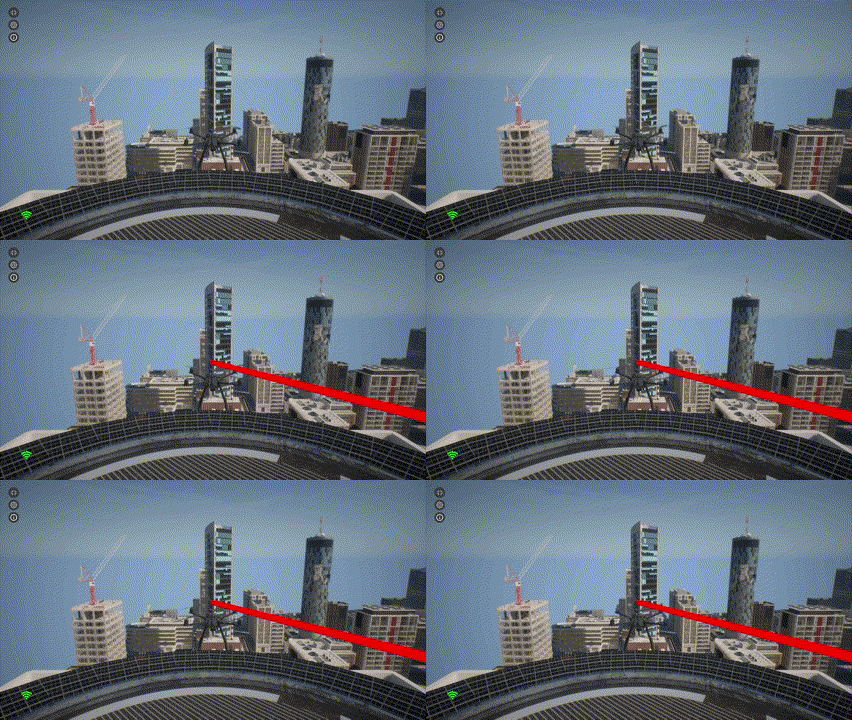
The `simPlanPath` function does the heavy lifting:
* It takes the start and goal positions
* Finds a collision-free path between them
* Optionally smooths the path for more natural drone movement
* Can visualize the path in the simulation (when `draw_path=True`)
## Exploring the Navigation Mesh
AirGen uses a navigation mesh (navmesh) to represent the traversable space in the environment. This mesh defines where the drone can safely fly:
```python theme={null}
# Get navigation mesh extents from the simulation world
nav_mesh_info = airgen_drone_0.client.getNavMeshInfo()
print("Nav mesh info: {}".format(nav_mesh_info))
```
The navigation mesh information includes the center point and boundaries of the navigable space. This data is crucial for determining valid destinations for our drone.
## Generating Random Destination Points
Now let's create a function that can sample random valid positions within our navigation mesh:
```python theme={null}
import airgen
import numpy as np
def sample_random_pose(nav_mesh_info):
# Calculate bounds of the nav mesh from the given info
amplitude = (
np.absolute(
np.array(
[
nav_mesh_info[2]["x_val"] - nav_mesh_info[1]["x_val"],
nav_mesh_info[2]["y_val"] - nav_mesh_info[1]["y_val"],
nav_mesh_info[2]["z_val"] - nav_mesh_info[1]["z_val"],
]
)
)
/ 2.0
)
# Sample a random point on the nav mesh
random_point = airgen.Vector3r(
np.random.uniform(
nav_mesh_info[0]["x_val"] - amplitude[0],
nav_mesh_info[0]["x_val"] + amplitude[0],
),
np.random.uniform(
nav_mesh_info[0]["y_val"] - amplitude[1],
nav_mesh_info[0]["y_val"] + amplitude[1],
),
np.random.uniform(
nav_mesh_info[0]["z_val"] - amplitude[2],
nav_mesh_info[0]["z_val"] + amplitude[2],
),
)
# Sample a random yaw angle
random_yaw = np.random.uniform(-np.pi, np.pi)
# Return the sampled pose
return airgen.Pose(
random_point, airgen.Quaternionr(airgen.Vector3r(0, 0, random_yaw))
)
```
This function:
1. Calculates the extents of the navigation mesh
2. Samples a random position within those bounds
3. Generates a random orientation (yaw angle)
4. Returns a complete 6-DOF (degrees of freedom) pose
## Path Planning to a Random Destination
Now we can plan a path from the drone's current position to a randomly selected destination:
```python theme={null}
# Get current pose of the drone in 6-DOF
start_pose = airgen_drone_0.client.simGetRobotPose()
# Sample a random valid pose in the environment
goal_pose = sample_random_pose(nav_mesh_info)
# Set altitude to same as the start
goal_pose.position.z_val = start_pose.position.z_val
# Compute a collision-free path between start and goal
path = airgen_drone_0.client.simPlanPath(
start_pose.position, goal_pose.position, smooth_path=True, draw_path=True
)
```
The `simPlanPath` function does the heavy lifting:
* It takes the start and goal positions
* Finds a collision-free path between them
* Optionally smooths the path for more natural drone movement
* Can visualize the path in the simulation (when `draw_path=True`)
 ## 6. Following the Planned Path
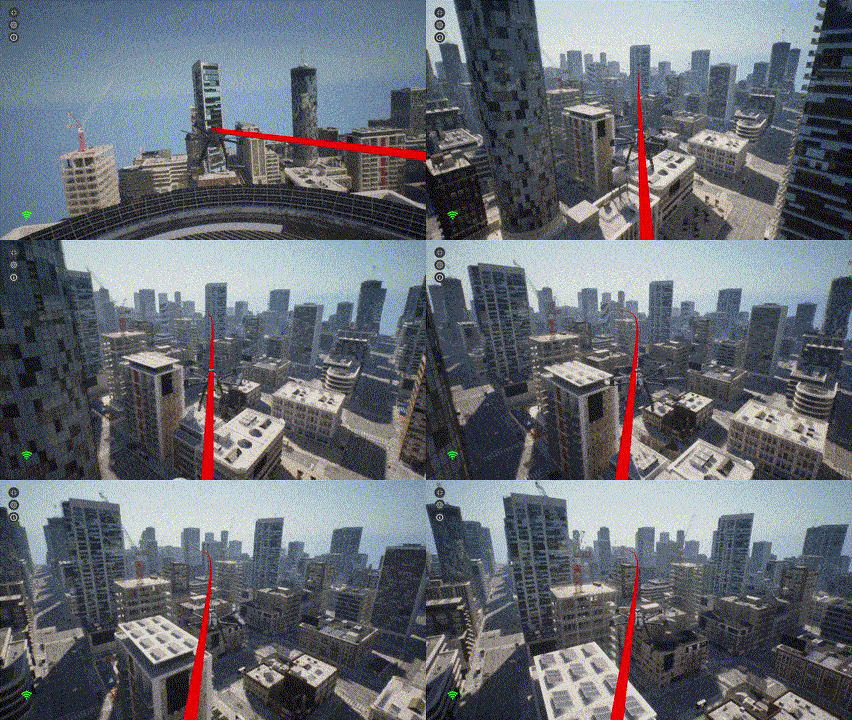
Finally, we need to convert the planned path into a format suitable for the drone's control system and command the drone to follow it:
```python theme={null}
points = []
# Convert path into AirGen waypoints for control
for waypoint in path:
points.append(
airgen.Vector3r(waypoint["x_val"],
waypoint["y_val"], waypoint["z_val"])
)
# Move the drone along the planned path at a velocity of 5 m/s
velocity = 5.0
airgen_drone_0.client.moveOnPathAsync(
points,
velocity,
120, # 120 seconds timeout
airgen.DrivetrainType.ForwardOnly,
airgen.YawMode(False,, 0),
-1,
0,
).join()
```
The `moveOnPathAsync` method takes several parameters:
* `points`: List of waypoints defining the path
* `velocity`: Desired speed in meters per second
* `timeout`: Maximum time to wait for completion (in seconds)
* `drivetrain`: Control mode for the drone's movement (`ForwardOnly` means the drone will always face its direction of travel)
* `yaw_mode`: Controls how the drone's heading changes during flight
* Lookahead parameters that influence how closely the drone follows the path
The `.join()` call ensures our code waits until the drone completes the entire path.
## 6. Following the Planned Path
Finally, we need to convert the planned path into a format suitable for the drone's control system and command the drone to follow it:
```python theme={null}
points = []
# Convert path into AirGen waypoints for control
for waypoint in path:
points.append(
airgen.Vector3r(waypoint["x_val"],
waypoint["y_val"], waypoint["z_val"])
)
# Move the drone along the planned path at a velocity of 5 m/s
velocity = 5.0
airgen_drone_0.client.moveOnPathAsync(
points,
velocity,
120, # 120 seconds timeout
airgen.DrivetrainType.ForwardOnly,
airgen.YawMode(False,, 0),
-1,
0,
).join()
```
The `moveOnPathAsync` method takes several parameters:
* `points`: List of waypoints defining the path
* `velocity`: Desired speed in meters per second
* `timeout`: Maximum time to wait for completion (in seconds)
* `drivetrain`: Control mode for the drone's movement (`ForwardOnly` means the drone will always face its direction of travel)
* `yaw_mode`: Controls how the drone's heading changes during flight
* Lookahead parameters that influence how closely the drone follows the path
The `.join()` call ensures our code waits until the drone completes the entire path.
 ## Understanding Path Planning Parameters
Let's examine some of the key parameters in more detail:
### DrivetrainType
`ForwardOnly` means the drone orients itself in the direction of travel, like an airplane. Alternatively, `MaxDegreeOfFreedom` allows the drone to move in any direction while maintaining its orientation.
### YawMode
The first parameter (`is_rate`) determines how to interpret the second parameter. When set to `False`, the second parameter is an absolute yaw angle in radians. When set to `True`, the second parameter becomes a yaw rate (angular velocity) in radians/second.
### Lookahead Parameters
The last two parameters in `moveOnPathAsync` control how closely the drone follows the path. A value of `-1` uses the default lookahead distance, while the last parameter (set to `0`) is the adaptive lookahead factor, where zero means non-adaptive.
## Understanding Path Planning Parameters
Let's examine some of the key parameters in more detail:
### DrivetrainType
`ForwardOnly` means the drone orients itself in the direction of travel, like an airplane. Alternatively, `MaxDegreeOfFreedom` allows the drone to move in any direction while maintaining its orientation.
### YawMode
The first parameter (`is_rate`) determines how to interpret the second parameter. When set to `False`, the second parameter is an absolute yaw angle in radians. When set to `True`, the second parameter becomes a yaw rate (angular velocity) in radians/second.
### Lookahead Parameters
The last two parameters in `moveOnPathAsync` control how closely the drone follows the path. A value of `-1` uses the default lookahead distance, while the last parameter (set to `0`) is the adaptive lookahead factor, where zero means non-adaptive.