> ## Documentation Index
> Fetch the complete documentation index at: https://docs.generalrobotics.dev/llms.txt
> Use this file to discover all available pages before exploring further.
# Drone Control
This tutorial will guide you through controlling a drone in the AirGen simulation environment within the GRID platform. You'll learn fundamental operations including takeoff, altitude control, navigating using different movement methods, path planning, and landing.
Notebook for this example can be found: [Here](https://grid.generalrobotics.dev/shared/fdf218c3-19b3-4660-a003-fda592ad5399)
## Getting Started: Initializing Your Drone
First, let's initialize a drone object in the AirGen environment. This is our entry point to controlling aerial vehicles in the simulation.
```python theme={null}
from grid.robot.aerial.airgen_drone import AirGenDrone
airgen_drone_0 = AirGenDrone()
```
This code creates an instance of a drone that we can control in our simulation. The `AirGenDrone` class provides an interface to the underlying vehicle simulation.
Every client method accepts an optional `robot_name`. Because this example uses a single drone, we omit the argument and AirGen defaults to the first robot defined in the session settings.
## Basic Flight Operations
### Taking Off and Setting Altitude
After initializing our drone, the first steps are to take off and reach a safe operating altitude:
```python theme={null}
# Take off from the ground
airgen_drone_0.client.takeoffAsync().join()
# Move to an altitude of 25 meters
airgen_drone_0.client.moveToZAsync(-25, 5).join()
```
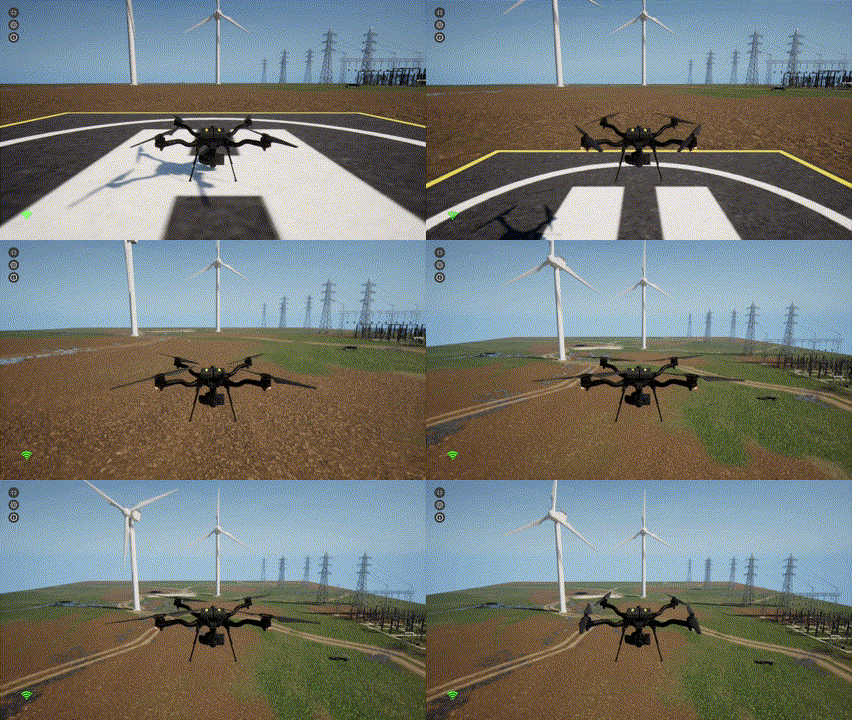 In AirGen, altitude uses a negative Z-axis convention, which means negative values represent positions above the ground. The second parameter (5) specifies the velocity in meters per second.
## Flight Patterns Using Different Control Methods
AirGen provides multiple methods to control drone movement. Let's explore three different approaches to fly the same square pattern.
### Method 1: Velocity Control
The first method uses velocity control, where we specify the speed and direction for each segment:
```python theme={null}
# Fly in a square path using velocity control
airgen_drone_0.client.moveByVelocityAsync(5, 0, 0, 5).join()
airgen_drone_0.client.moveByVelocityAsync(0, 5, 0, 5).join()
airgen_drone_0.client.moveByVelocityAsync(-5, 0, 0, 5).join()
airgen_drone_0.client.moveByVelocityAsync(0, -5, 0, 5).join()
```
The `moveByVelocityAsync` method takes four positional parameters, plus an optional `robot_name` keyword if you want to target a specific drone:
* `vx`: Velocity in the X direction (east/west)
* `vy`: Velocity in the Y direction (north/south)
* `vz`: Velocity in the Z direction (up/down)
* `duration`: Time to maintain this velocity in seconds
In AirGen, altitude uses a negative Z-axis convention, which means negative values represent positions above the ground. The second parameter (5) specifies the velocity in meters per second.
## Flight Patterns Using Different Control Methods
AirGen provides multiple methods to control drone movement. Let's explore three different approaches to fly the same square pattern.
### Method 1: Velocity Control
The first method uses velocity control, where we specify the speed and direction for each segment:
```python theme={null}
# Fly in a square path using velocity control
airgen_drone_0.client.moveByVelocityAsync(5, 0, 0, 5).join()
airgen_drone_0.client.moveByVelocityAsync(0, 5, 0, 5).join()
airgen_drone_0.client.moveByVelocityAsync(-5, 0, 0, 5).join()
airgen_drone_0.client.moveByVelocityAsync(0, -5, 0, 5).join()
```
The `moveByVelocityAsync` method takes four positional parameters, plus an optional `robot_name` keyword if you want to target a specific drone:
* `vx`: Velocity in the X direction (east/west)
* `vy`: Velocity in the Y direction (north/south)
* `vz`: Velocity in the Z direction (up/down)
* `duration`: Time to maintain this velocity in seconds
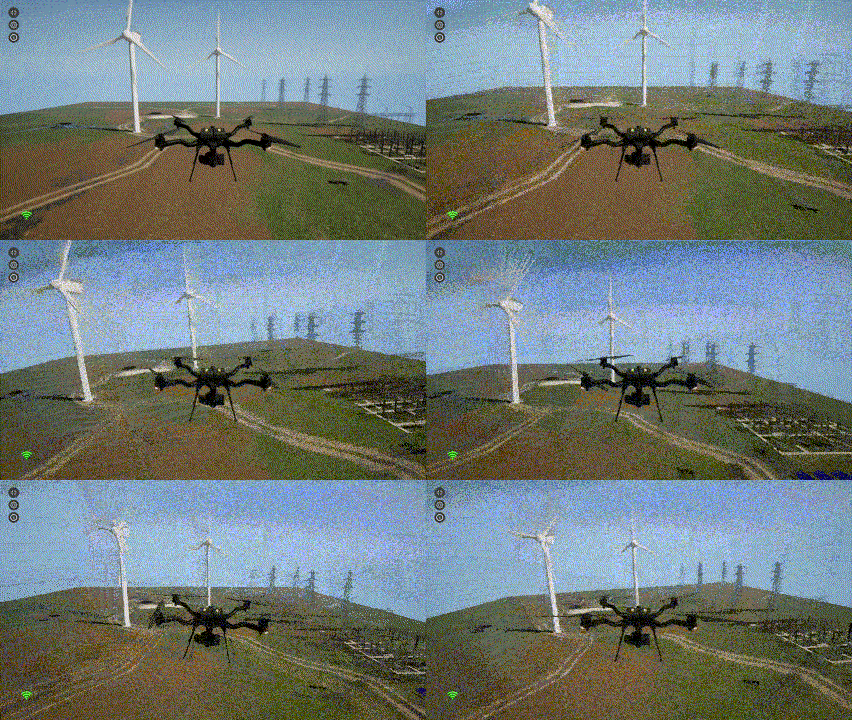 ### Method 2: Position Control
The second method uses absolute position control, where we specify exact coordinates for the drone to reach:
```python theme={null}
# Fly in a square path using position control
airgen_drone_0.client.moveToPositionAsync(25, 0, -25, 5).join()
airgen_drone_0.client.moveToPositionAsync(25, 25, -25, 5).join()
airgen_drone_0.client.moveToPositionAsync(0, 25, -25, 5).join()
airgen_drone_0.client.moveToPositionAsync(0, 0, -25, 5).join()
```
The `moveToPositionAsync` method takes four positional parameters, with an optional `robot_name` keyword for multi-robot scenarios:
* `x, y, z`: Target position coordinates
* `velocity`: Speed at which to move to the target position
### Method 3: Path Control
The third method uses path control, where we define a series of waypoints for the drone to follow:
```python theme={null}
# Import AirGen for Vector3r class
import airgen
# Define waypoints for a square path
waypoints = [
airgen.Vector3r(25, 0, -25), # First corner
airgen.Vector3r(25, 25, -25), # Second corner
airgen.Vector3r(0, 25, -25), # Third corner
airgen.Vector3r(0, 0, -25), # Back to start
]
# Move along the defined path
airgen_drone_0.client.moveOnPathAsync(
waypoints, 5, 60, airgen.DrivetrainType.MaxDegreeOfFreedom,
airgen.YawMode(False, 0), -1, 1).join()
```
The `moveOnPathAsync` method is more complex and takes several parameters (with an optional `robot_name`):
* `waypoints`: List of Vector3r points defining the path
* `velocity`: Speed in m/s
* `timeout_sec`: Maximum time to complete the operation
* `drivetrain`: Control mode for the drone's movement
* `yaw_mode`: Controls how the drone's heading changes during flight
* `lookahead`: Distance to look ahead on the path
* `adaptive_lookahead`: Whether to adapt the lookahead distance based on velocity
## Controlling Orientation During Flight
You can control the drone's orientation (yaw) while following a path:
```python theme={null}
# Fly the same square path but with yaw angle relative to direction of travel
airgen_drone_0.client.moveOnPathAsync(
waypoints, 5, 60, airgen.DrivetrainType.ForwardOnly,
airgen.YawMode(False, 0), -1, 1).join()
```
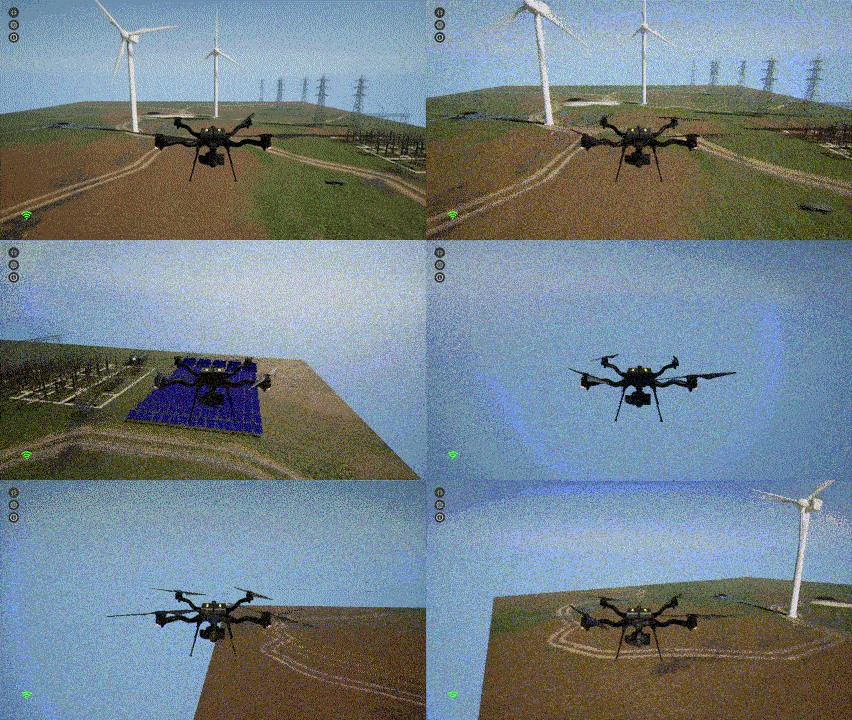
By changing the drivetrain parameter to `ForwardOnly`, the drone will automatically adjust its yaw to face the direction of travel, similar to how an airplane flies.
### Method 2: Position Control
The second method uses absolute position control, where we specify exact coordinates for the drone to reach:
```python theme={null}
# Fly in a square path using position control
airgen_drone_0.client.moveToPositionAsync(25, 0, -25, 5).join()
airgen_drone_0.client.moveToPositionAsync(25, 25, -25, 5).join()
airgen_drone_0.client.moveToPositionAsync(0, 25, -25, 5).join()
airgen_drone_0.client.moveToPositionAsync(0, 0, -25, 5).join()
```
The `moveToPositionAsync` method takes four positional parameters, with an optional `robot_name` keyword for multi-robot scenarios:
* `x, y, z`: Target position coordinates
* `velocity`: Speed at which to move to the target position
### Method 3: Path Control
The third method uses path control, where we define a series of waypoints for the drone to follow:
```python theme={null}
# Import AirGen for Vector3r class
import airgen
# Define waypoints for a square path
waypoints = [
airgen.Vector3r(25, 0, -25), # First corner
airgen.Vector3r(25, 25, -25), # Second corner
airgen.Vector3r(0, 25, -25), # Third corner
airgen.Vector3r(0, 0, -25), # Back to start
]
# Move along the defined path
airgen_drone_0.client.moveOnPathAsync(
waypoints, 5, 60, airgen.DrivetrainType.MaxDegreeOfFreedom,
airgen.YawMode(False, 0), -1, 1).join()
```
The `moveOnPathAsync` method is more complex and takes several parameters (with an optional `robot_name`):
* `waypoints`: List of Vector3r points defining the path
* `velocity`: Speed in m/s
* `timeout_sec`: Maximum time to complete the operation
* `drivetrain`: Control mode for the drone's movement
* `yaw_mode`: Controls how the drone's heading changes during flight
* `lookahead`: Distance to look ahead on the path
* `adaptive_lookahead`: Whether to adapt the lookahead distance based on velocity
## Controlling Orientation During Flight
You can control the drone's orientation (yaw) while following a path:
```python theme={null}
# Fly the same square path but with yaw angle relative to direction of travel
airgen_drone_0.client.moveOnPathAsync(
waypoints, 5, 60, airgen.DrivetrainType.ForwardOnly,
airgen.YawMode(False, 0), -1, 1).join()
```
By changing the drivetrain parameter to `ForwardOnly`, the drone will automatically adjust its yaw to face the direction of travel, similar to how an airplane flies.
 ## Landing Sequence
When finished with flight operations, it's important to land the drone safely:
```python theme={null}
# Descend to a low altitude before landing
airgen_drone_0.client.moveToZAsync(-2, 5).join()
# Execute landing sequence
airgen_drone_0.client.landAsync().join()
```
## Landing Sequence
When finished with flight operations, it's important to land the drone safely:
```python theme={null}
# Descend to a low altitude before landing
airgen_drone_0.client.moveToZAsync(-2, 5).join()
# Execute landing sequence
airgen_drone_0.client.landAsync().join()
```
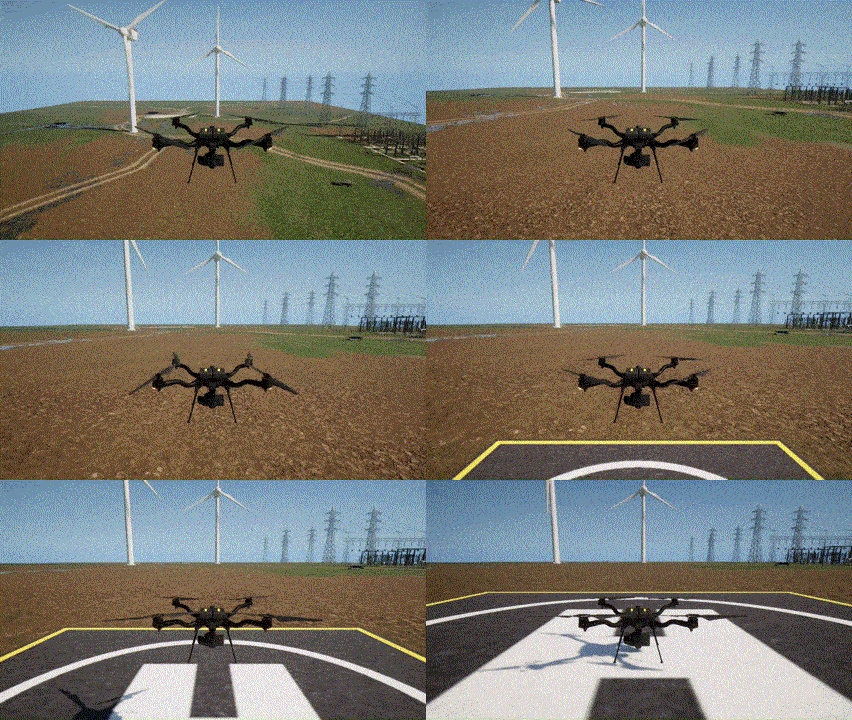 The landing sequence first descends to a safe height (2 meters) and then performs the landing operation.