> ## Documentation Index
> Fetch the complete documentation index at: https://docs.generalrobotics.dev/llms.txt
> Use this file to discover all available pages before exploring further.
# SAM2
> Point/box prompted segmentation (Segment Anything 2)
Segment objects in an image using point or box prompts with SAM 2.
## Parameters
RGB image.
List of `[x, y]` pixel coordinates.
`1` = foreground, `0` = background, one per prompt point.
If `True`, returns multiple candidate masks.
Endpoint mode; only `"image"` currently supported.
Optional HTTP timeout.
## Returns
`np.ndarray` — Binary segmentation mask of shape `(H, W)` with dtype `uint8`. Foreground pixels are `255`, background is `0`.
## Example Output
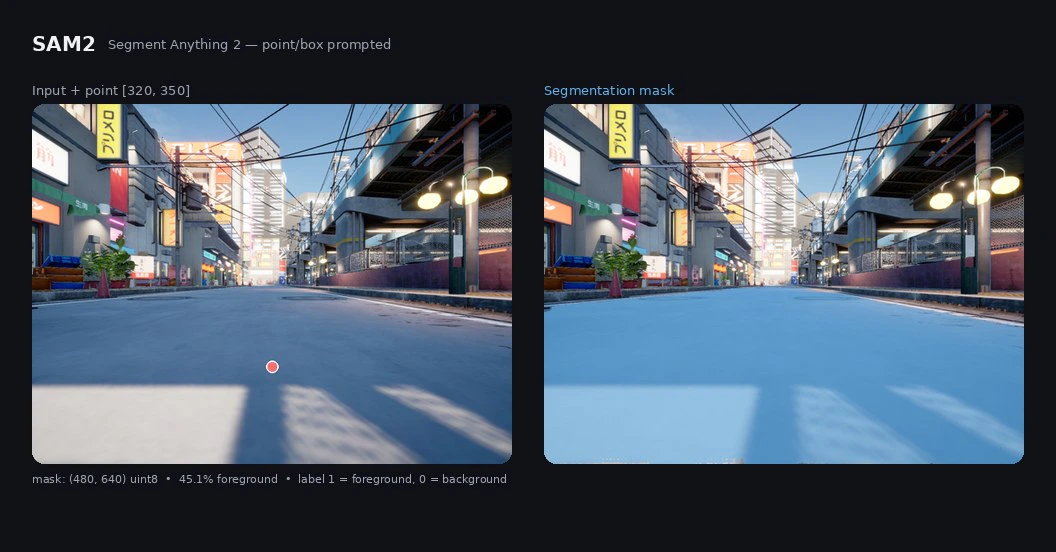 ## Example
```python theme={null}
from grid_cortex_client import CortexClient
import numpy as np
from PIL import Image
client = CortexClient()
img = Image.open("scene.jpg") # 640x480 RGB
mask = client.run(
model_id="sam2",
image_input=img,
prompts=[[320, 350]],
labels=[1], # 1 = foreground
)
print(mask.shape, mask.dtype)
# (480, 640) uint8
print(np.unique(mask))
# [0, 255]
foreground = np.count_nonzero(mask)
print(f"foreground pixels: {foreground} ({foreground / mask.size * 100:.1f}%)")
# foreground pixels: 138532 (45.1%)
```
## Related topics
- [Segment Anything 2](/models/segmentation/sam2.md)
- [Grounded SAM 2](/models/segmentation/gsam2.md)
- [GSAM2](/models/cortex/gsam2.md)
- [AI Models](/simulation/airgen/examples/ai-models.md)
## Example
```python theme={null}
from grid_cortex_client import CortexClient
import numpy as np
from PIL import Image
client = CortexClient()
img = Image.open("scene.jpg") # 640x480 RGB
mask = client.run(
model_id="sam2",
image_input=img,
prompts=[[320, 350]],
labels=[1], # 1 = foreground
)
print(mask.shape, mask.dtype)
# (480, 640) uint8
print(np.unique(mask))
# [0, 255]
foreground = np.count_nonzero(mask)
print(f"foreground pixels: {foreground} ({foreground / mask.size * 100:.1f}%)")
# foreground pixels: 138532 (45.1%)
```
## Related topics
- [Segment Anything 2](/models/segmentation/sam2.md)
- [Grounded SAM 2](/models/segmentation/gsam2.md)
- [GSAM2](/models/cortex/gsam2.md)
- [AI Models](/simulation/airgen/examples/ai-models.md)