> ## Documentation Index
> Fetch the complete documentation index at: https://docs.generalrobotics.dev/llms.txt
> Use this file to discover all available pages before exploring further.
# Qwen VL
> Vision-language model for VQA and image understanding (Qwen3-VL-4B)
Generate text responses about images using Qwen3-VL-4B.
## Parameters
RGB image.
Text prompt/question about the image.
Maximum number of tokens to generate.
Sampling temperature (0 = greedy).
Optional HTTP timeout.
## Returns
`dict` with keys:
* `output` — Generated text response
* `latency_ms` — Server-side processing time
* `gpu_stats` — GPU memory usage statistics
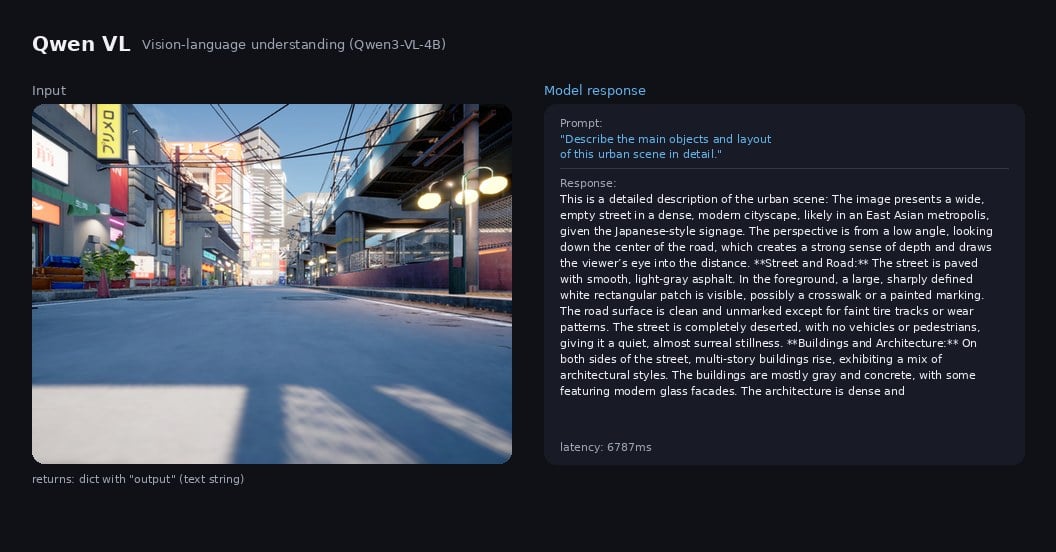
## Example Output
 ## Example
```python theme={null}
from grid_cortex_client import CortexClient
import numpy as np
from PIL import Image
client = CortexClient()
image = np.array(Image.open("scene.jpg")) # 640x480 RGB
result = client.run(
model_id="qwen_vl",
image_input=image,
prompt="What objects can you see in this scene? List them.",
max_new_tokens=128,
temperature=0.3,
)
print(result.keys())
# dict_keys(['output', 'latency_ms', 'gpu_stats'])
print(result["output"])
# "Based on the image provided, here is a list of objects that can be
# seen in the scene:\n\n- **Street**: A wide, empty asphalt road...
# \n- **Sidewalks**: Concrete sidewalks on both sides...
# \n- **Buildings**: Multi-story buildings...
# \n- **Signage**: Various signs on buildings..."
print(f"latency: {result['latency_ms']:.1f} ms")
# latency: 4323.4 ms
```
## Related topics
- [LLaVA ](/models/vlm/llava.md)
- [DPV-SLAM ](/models/slam/dpv_slam.md)
- [DPVO ](/models/vo/vo_dpvo.md)
- [LLaVANeXT ](/models/vlm/llava_next.md)
## Example
```python theme={null}
from grid_cortex_client import CortexClient
import numpy as np
from PIL import Image
client = CortexClient()
image = np.array(Image.open("scene.jpg")) # 640x480 RGB
result = client.run(
model_id="qwen_vl",
image_input=image,
prompt="What objects can you see in this scene? List them.",
max_new_tokens=128,
temperature=0.3,
)
print(result.keys())
# dict_keys(['output', 'latency_ms', 'gpu_stats'])
print(result["output"])
# "Based on the image provided, here is a list of objects that can be
# seen in the scene:\n\n- **Street**: A wide, empty asphalt road...
# \n- **Sidewalks**: Concrete sidewalks on both sides...
# \n- **Buildings**: Multi-story buildings...
# \n- **Signage**: Various signs on buildings..."
print(f"latency: {result['latency_ms']:.1f} ms")
# latency: 4323.4 ms
```
## Related topics
- [LLaVA ](/models/vlm/llava.md)
- [DPV-SLAM ](/models/slam/dpv_slam.md)
- [DPVO ](/models/vo/vo_dpvo.md)
- [LLaVANeXT ](/models/vlm/llava_next.md)